
| Object Name | Object API Name |
|---|---|
| Account | Account |
| ATS Action | bpats__ATS_Action__c |
| ATS Action Link | bpats__ATS_Action_Link__c |
| ATS Applicant | bpats__ATS_Applicant__c |
| ATS Log | bpats__ATS_Log__c |
| ATS Stage | bpats__ATS_Stage__c |
| ATS Stage Tracking | bpats__ATS_Stage_Tracking__c |
| ATS Template | bpats__ATS_Template__c |
| ATS Template Filter | bpats__ATS_Template_Filter__c |
| ATS Template Stage | bpats__ATS_Template_Stage__c |
| ATS Timeline Configuration | bpats__ATS_Timeline_Configuration__c |
| ATS Timeline Child | bpats__ATS_Timeline_Child__c |
| Branch | bpats__Branch__c |
| Contact | Contact |
| Contact List | bpats__Contact_List__c |
| Content Version | ContentVersion |
| Email Message | EmailMessage |
| Interview | bpats__Interview__c |
| Interview Feedback | bpats__Interview_Feedback__c |
| Interview Template | bpats__Interview_Template__c |
| Interview Template Detail | bpats__Interview_Template_Detail__c |
| Interview Topic | bpats__Interview_Topic__c |
| Interview Topic Feedback | bpats__Interview_Topic_Feedback__c |
| Job | bpats__Job__c |
| Job Board Application | bpats__Job_Board_Application__c |
| Message Stats | bpats__Message_Stats__c |
| Offer | bpats__Offer__c |
| Placement | bpats__Placement__c |
| Placement Credit | bpats__Placement_Credit__c |
| Placement Credit Template | bpats__Placement_Credit_Template__c |
| Placement Credit Template Entry | bpats__Placement_Credit_Template_Entry__c |
| Purchase Order | bpats__Purchase_Order__c |
| Work Site Location | bpats__Work_Site_Location__c |
The external system can get the object by using the salesforce standard API.
https://<your-instance>.salesforce.com/services/data/vXX.0/sobjects/<your-object-api-name>/describe
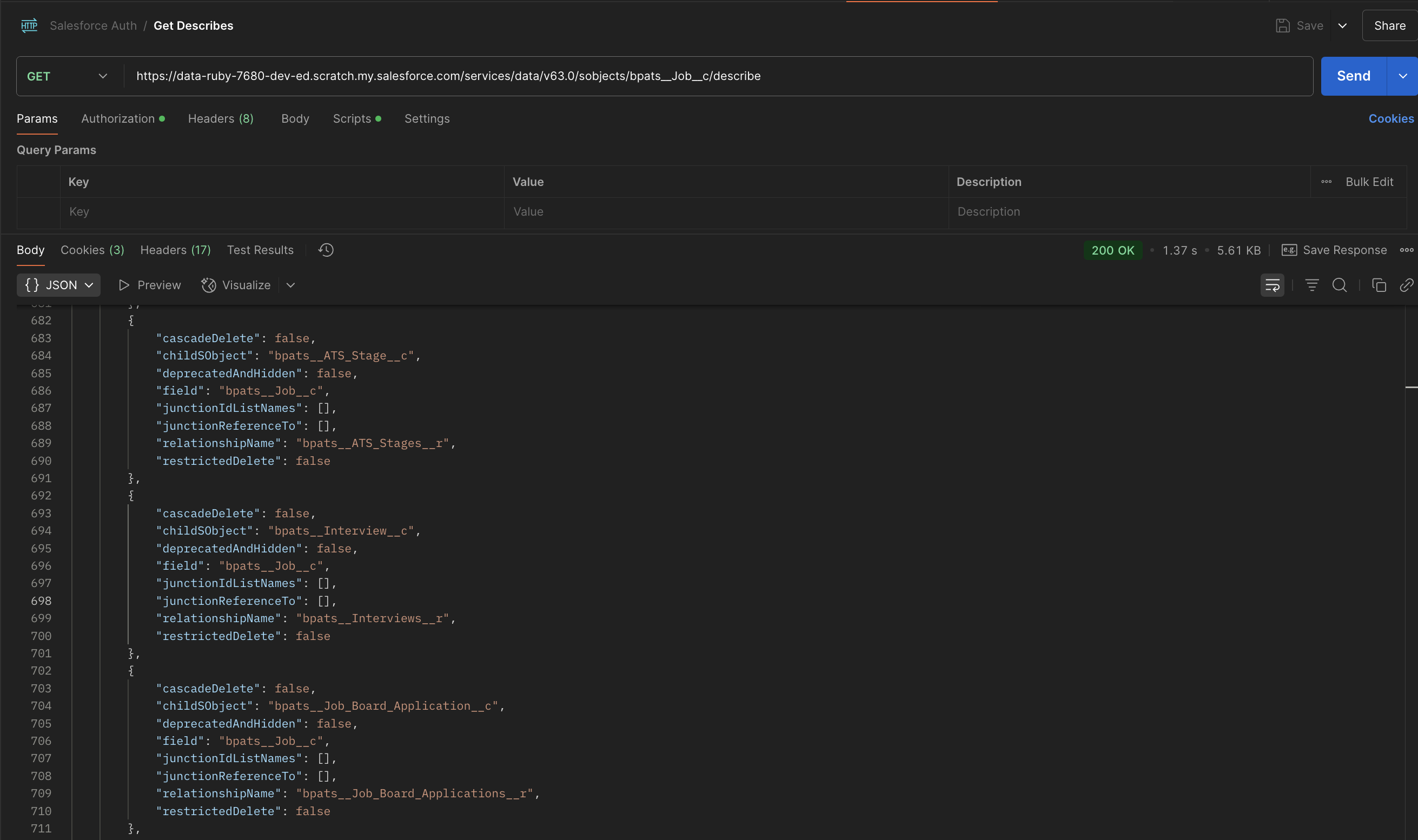
Before accessing objects through the API, make sure the external system is properly authenticated with your Salesforce org.
https://<your-instance>.salesforce.com/services/data/vXX.0/sobjects/<your-object-api-name>/describe
https://login.salesforce.com/services/oauth2/token
| Parameter | Description |
|---|---|
| grant_type | Must be password <password> |
| client_id | Consumer Key from your Connected App |
| client_secret | Consumer Secret from your Connected App |
| username | Salesforce user's username |
| password | Concatenation of user's password and security token (e.g., password123SECURITYTOKEN) |
https://login.salesforce.com/services/oauth2/token?grant_type=password&client_id=YOUR_CLIENT_ID&client_secret=YOUR_C
LIENT_SECRET&username=YOUR_USERNAME&password=YOUR_PASSWORD_AND_SECURITY_TOKEN
{
  "access_token": "YOUR_ACCESS_TOKEN",
  "instance_url": "https://yourInstance.salesforce.com",
  "id": "https://login.salesforce.com/id/ORG_ID/USER_ID",
  "token_type": "Bearer",
  "issued_at": "TIMESTAMP",
  "signature": "SIGNATURE"
}
| Header | Type | Required | Example | Description |
|---|---|---|---|---|
| Authorization | String | Yes | Bearer <Access_Token> | OAuth 2.0 Bearer Token |
| Content-Type | String | Yes | application/json | JSON body expected |
| Accept | String | Yes | */* | Expected response content type |
| Parameter Location | Name | Type | Required | Example | Description |
|---|---|---|---|---|---|
| Query (URL) | q (for SOQL query) | String | Yes (for query endpoint) | SELECT Name FROM bpats__Job__c | SOQL statement for record fetching |
| Path | Object_API_Name | String | Yes | bpats__Job__c | The Salesforce API name of the object you're targeting |
| Path | recordId | String (18-char Salesforce ID) | Yes (for single record updates/deletes) | a01ABC1234xyz123 | Unique ID of the record |
| Field Property | Rule |
|---|---|
| Data Types | String, Number, Boolean, Array (for composite bulk ops) |
| Maximum Length | Depends on field metadata in Salesforce (commonly 255 characters for text fields) |
| Required Fields | Must be filled if Salesforce marks them as Required in Object Schema |
| Optional Fields | Can be omitted if not mandatory |
| Lookup Fields | Provide 18-digit Salesforce Record ID for references |
| HTTP Response Code | Description |
|---|---|
| 200 | “OK” success code, for GET, HEAD, and some PATCH requests. |
| 201 | “Created” success code, for POST requests and some PATCH requests. |
| 204 | “No Content” success code, for DELETE requests and some PATCH requests. |
| 300 | The value returned when an external ID exists in more than one record. The response body contains the list of matching records. |
| 304 | The request content hasn’t changed since a specified date and time. The date and time is provided in a If-Modified-Since header. See Get Object Metatdata Changes for an example. |
| 400 | The request couldn’t be understood, usually because the JSON or XML body contains an error. |
| 401 | The session ID or OAuth token used has expired or is invalid. The response body contains the message and errorCode. |
| 403 | The request has been refused. Verify that the logged-in user has appropriate permissions. If the error code is REQUEST_LIMIT_EXCEEDED, you’ve exceeded API request limits in your org. |
| 404 | The requested resource couldn’t be found. Check the URI for errors, and verify that there are no sharing issues. |
| 405 | The method specified in the Request-Line isn’t allowed for the resource specified in the URI. |
| 409 | The request couldn’t be completed due to a conflict with the current state of the resource. Check that the API version is compatible with the resource you’re requesting. |
| 410 | The requested resource has been retired or removed. Delete or update any references to the resource. |
| 412 | The request wasn’t executed because one or more of the preconditions that the client specified in the request headers wasn’t satisfied. For example, the request includes an If-Unmodified-Since header, but the data was modified after the specified date. |
| 414 | The length of the URI exceeds the 16,384-byte limit. |
| 415 | The entity in the request is in a format that’s not supported by the specified method. |
| 420 | Salesforce Edge doesn’t have routing information available for this request host. Contact Salesforce Customer Support. |
| 428 | The request wasn’t executed because it wasn’t conditional. Add one of the Conditional Request Headers, such as If-Match, to the request and resubmit it. |
| 431 | The combined length of the URI and headers exceeds the 16,384-byte limit. |
| 500 | An error has occurred within Lightning Platform, so the request couldn’t be completed. Contact Salesforce Customer Support. |
| 502 | Salesforce Edge wasn’t able to communicate successfully with the Salesforce instance. |
| 503 | The server is unavailable to handle the request. Typically this issue occurs if the server is down for maintenance or is overloaded. |
| Field | Type | Description |
|---|---|---|
| ID (for POST) | String | The Salesforce ID of the created record. |
| success (for POST/Composite) | Boolean | Indicates if the operation was successful. |
| errors (for POST/Composite) | Array | List of errors, if any. |
| records (for Query) | Array | Array of records matching query criteria. |
{
    "hasErrors": false,
    "results": [
        {
            "referenceId": "ref1",
            "id": "a0LEm000007fZDxMAM"
        },
        {
            "referenceId": "ref2",
            "id": "a0LEm000007fZDyMAM"
        }
    ]
}
{
    "totalSize": 1,
    "done": true,
    "records": [
        {
            "attributes": {
                "type": "bpats__Job__c",
                "url": "/services/data/v57.0/sobjects/bpats__Job__c/a0MEm000004fFnBMAU"
            },
            "Name": "Salesforce Developer Test",
            "bpats__End_Date__c": null
        }
    ]
}
| Field | Type | Description |
|---|---|---|
| message | String | Human-readable error message |
| errorCode | String | Salesforce error code |
| fields | Array | List of fields causing the error (optional) |
{
    "hasErrors": true,
    "results": [
        {
            "referenceId": "ref3",
            "errors": [
                {
                    "statusCode": "REQUIRED_FIELD_MISSING",
                    "message": "Required fields are missing: [LastName]",
                    "fields": [
                        "LastName"
                    ]
                }
            ]
        }
    ]
}
[
  {
    "message": "Session expired or invalid",
    "errorCode": "INVALID_SESSION_ID"
  }
]
[
  {
    "message": "The requested resource does not exist",
    "errorCode": "NOT_FOUND"
  }
]
{
    "hasErrors": true,
    "results": [
        {
            "referenceId": "ref3",
            "errors": [
                {
                    "statusCode": "REQUIRED_FIELD_MISSING",
                    "message": "Required fields are missing: [LastName]",
                    "fields": [
                        "LastName"
                    ]
                }
            ]
        }
    ]
}
[
    {
        "message": "Status: bad value for restricted picklist field: Test",
        "errorCode": "INVALID_OR_NULL_FOR_RESTRICTED_PICKLIST",
        "fields": [
            "bpats__Status__c"
        ]
    }
]
{
  "hasErrors": true,
  "results": [
    {
      "referenceId": "ref3",
      "errors": [
        {
          "statusCode": "STRING_TOO_LONG",
          "message": "First Name: data value too large: candidate test candidate test candidate test
          candidate test candidate test candidate test candidate test candidate test candidate test
          candidate test candidate test candidate test candidate test candidate test candidate test
          candidate test candidate test candidate test candidate test candidate test candidate test
          candidate test candidate test candidate
          test candidate test candidate (max length=40)",
          "fields": [
            "FirstName"
          ]
        }
      ]
    }
  ]
}
| Salesforce Edition | API Calls Per License Type Per 24-Hour Period | Total Calls Per 24-Hour Period |
|---|---|---|
| Developer Edition | N/A | 15,000 |
| Enterprise Edition Professional Edition with API access enabled | Salesforce: 1,000 Salesforce Platform: 1,000 Lightning Platform - One App: 200 Customer Community: 0 Customer Community Login: 0 Customer Community Plus: 200 Customer Community Plus Login: 10 External Identity 25,000: 70,000 External Identity 250,000: 750,000 External Identity 1,000,000: 4,000,000 Partner Community: 200 Partner Community Login: 10 Lightning Platform Starter: 200 per member for Enterprise Edition orgs Lightning Platform Plus: 1000 per member for Enterprise Edition orgs |
100,000 + (number of licenses x calls per license type) + purchased API Call Add-Ons |
| Unlimited Edition Performance Edition | Salesforce: 5,000 Salesforce Platform: 5,000 Lightning Platform - One App: 200 Customer Community: 0 Customer Community Login: 0 Customer Community Plus: 200 Customer Community Plus Login: 10 External Identity 25,000: 70,000 External Identity 250,000: 750,000 External Identity 1,000,000: 4,000,000 Partner Community: 200 Partner Community Login: 10 Lightning Platform Starter: 200 per member for Unlimited and Performance Edition orgs Lightning Platform Plus: 5,000 per member for Unlimited and Performance Edition org |
100,000 + (number of licenses x calls per license type) + purchased API Call Add-Ons |
| Full Sandbox | N/A | 5,000,000This limit applies only to Full Sandboxes that aren’t created from a template. For any sandbox created from a template, values in the template determine the limits. For more information, visit Salesforce Help: Sandbox Types and Templates. |
https://.salesforce.com/services/data/vXX.0/limits

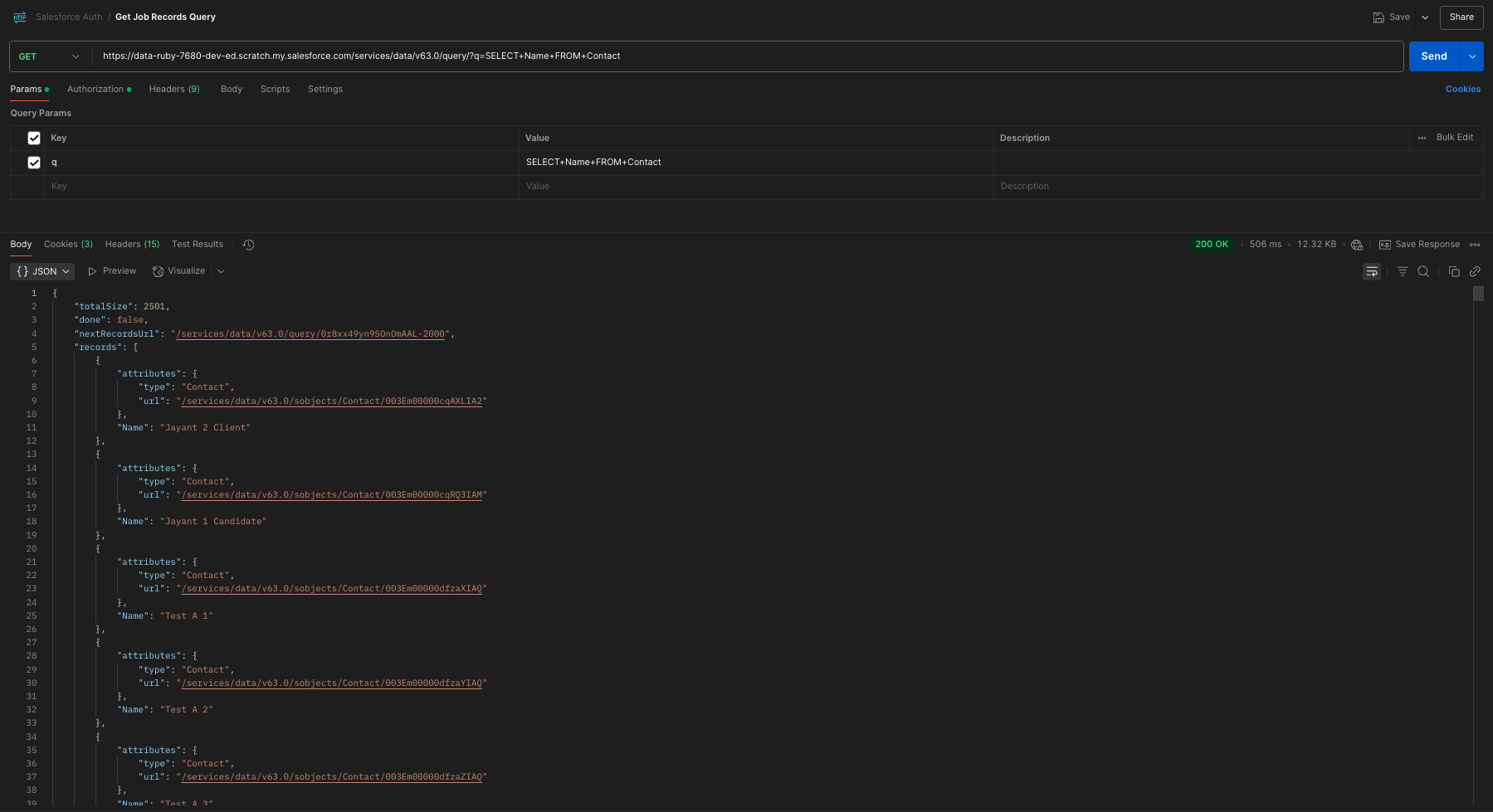
https://<your-instance>.salesforce.com/services/data/v63.0/query/0r8xx49yn9SOnOmAAL-2000
{
    "done" : true,
    "totalSize" : 3214,
    "records" : [...]
}
| Operator | Description | Example |
|---|---|---|
| = | Equals | status = 'Interview' |
| != | Not equal | status != 'Rejected' |
| > < | Greater than / less than | createdDate > 2024-01-01T00:00:00Z |
| IN | Within a set of values | status IN ('Open', 'Interview') |
| LIKE | Pattern matching (with %) | name LIKE 'John%' |
https://<your-instance>.salesforce.com/services/data/v63.0/query/?q=SELECT+Name,+bpats__End_Date__c,+bpats__Status__c+FROM+bpats__Job__c+WHERE+bpats__Status__c=’Open’
| Parameter | Description |
|---|---|
| ORDER BY | Field(s) to sort on |
| ASC | Ascending order (default) |
| DESC | Descending order |
https://&lgt;your-instance>.salesforce.com/services/data/v63.0/query/?q=SELECT+Name,+bpats__End_Date__c+FROM+bpats__Job__c+ORDER+BY+CreatedDate+DESC
https://.salesforce.com/services/data/v57.0/query/?q=SELECT+Name,+bpats__End_Date__c,+bpats__Status__c+FROM+bpats__Job__c+WHERE+CreatedDate<2025-01-01T00:00:00Z
✅ 10000
❌ 10,000 or $10000
✅ 1234.56
{
  "isActive": true
}
| Object | Read | Create | Edit | Delete | View All | Modify All |
|---|---|---|---|---|---|---|
| Job Board Application | ✅ | ✅ | ❌ | ❌ | ❌ | ❌ |
| Job | ✅ | ❌ | ❌ | ❌ | ❌ | ❌ |
| Object | Read | Create | Edit | Delete | View All | Modify All |
|---|---|---|---|---|---|---|
| Interview Feedback | ✅ | ✅ | ❌ | ❌ | ❌ | ❌ |
| Interview Topic Feedback | ✅ | ✅ | ❌ | ❌ | ❌ | ❌ |
| Interview Topic | ✅ | ✅ | ❌ | ❌ | ❌ | ❌ |
| Interview | ✅ | ✅ | ❌ | ❌ | ❌ | ❌ |
| Interview Template Detail | ✅ | ❌ | ❌ | ❌ | ❌ | ❌ |
| Interview Template | ✅ | ❌ | ❌ | ❌ | ❌ | ❌ |
| Contact | ✅ | ❌ | ❌ | ❌ | ❌ | ❌ |
| Object | Read | Create | Edit | Delete | View All | Modify All |
|---|---|---|---|---|---|---|
| ATS Action Link | ✅ | ❌ | ❌ | ❌ | ❌ | ❌ |
| ATS Action | ✅ | ❌ | ❌ | ❌ | ❌ | ❌ |
| ATS Applicant | ✅ | ✅ | ✅ | ❌ | ❌ | ❌ |
| ATS List Filter | ✅ | ✅ | ✅ | ❌ | ❌ | ❌ |
| ATS Log | ✅ | ✅ | ✅ | ❌ | ❌ | ❌ |
| ATS Stage | ✅ | ✅ | ✅ | ❌ | ❌ | ❌ |
| ATS Template Filter | ✅ | ✅ | ✅ | ❌ | ❌ | ❌ |
| ATS Template Stage | ✅ | ❌ | ❌ | ❌ | ❌ | ❌ |
| ATS Template | ✅ | ❌ | ❌ | ❌ | ❌ | ❌ |
| ATS Timeline Child | ✅ | ✅ | ✅ | ❌ | ❌ | ❌ |
| ATS Timeline Configuration | ✅ | ✅ | ✅ | ❌ | ❌ | ❌ |
| Account | ✅ | ✅ | ✅ | ❌ | ❌ | ❌ |
| Branch | ✅ | ✅ | ✅ | ❌ | ❌ | ❌ |
| Contact | ✅ | ✅ | ✅ | ❌ | ❌ | ❌ |
| Contact List | ✅ | ✅ | ✅ | ❌ | ❌ | ❌ |
| Interview Feedback | ✅ | ✅ | ✅ | ✅ | ✅ | ✅ |
| Interview Template Detail | ✅ | ❌ | ❌ | ❌ | ❌ | ❌ |
| Interview Template | ✅ | ❌ | ❌ | ❌ | ❌ | ❌ |
| Interview Topic Feedback | ✅ | ✅ | ✅ | ❌ | ❌ | ❌ |
| Interview Topic | ✅ | ✅ | ✅ | ❌ | ❌ | ❌ |
| Interview | ✅ | ✅ | ✅ | ❌ | ❌ | ❌ |
| Job Board Application | ✅ | ✅ | ✅ | ❌ | ❌ | ❌ |
| Job | ✅ | ✅ | ✅ | ❌ | ❌ | ❌ |
| Offer | ✅ | ✅ | ✅ | ❌ | ❌ | ❌ |
| Placement Credit Template Entry | ✅ | ✅ | ✅ | ❌ | ❌ | ❌ |
| Placement Credit Template | ✅ | ✅ | ✅ | ❌ | ❌ | ❌ |
| Placement Credit | ✅ | ✅ | ✅ | ❌ | ❌ | ❌ |
| Placement | ✅ | ✅ | ✅ | ❌ | ❌ | ❌ |
| Purchase Order | ✅ | ✅ | ✅ | ❌ | ❌ | ❌ |
| Retained Milestone | ✅ | ✅ | ✅ | ❌ | ❌ | ❌ |
| Work Site Location | ✅ | ✅ | ✅ | ❌ | ❌ | ❌ |
| Object | Read | Create | Edit | Delete | View All | Modify All |
|---|---|---|---|---|---|---|
| ATS Action Link | ✅ | ✅ | ✅ | ✅ | ✅ | ✅ |
| ATS Action | ✅ | ✅ | ✅ | ✅ | ✅ | ✅ |
| ATS Applicant | ✅ | ✅ | ✅ | ✅ | ✅ | ✅ |
| ATS List Filter | ✅ | ✅ | ✅ | ✅ | ✅ | ✅ |
| ATS Log | ✅ | ✅ | ✅ | ✅ | ✅ | ✅ |
| ATS Stage | ✅ | ✅ | ✅ | ✅ | ✅ | ✅ |
| ATS Template Filter | ✅ | ✅ | ✅ | ✅ | ✅ | ✅ |
| ATS_Template Stage | ✅ | ✅ | ✅ | ✅ | ✅ | ✅ |
| ATS Template | ✅ | ✅ | ✅ | ✅ | ✅ | ✅ |
| ATS Timeline Child | ✅ | ✅ | ✅ | ✅ | ✅ | ✅ |
| ATS Timeline Configuration | ✅ | ✅ | ✅ | ✅ | ✅ | ✅ |
| Account | ✅ | ✅ | ✅ | ✅ | ✅ | ✅ |
| Branch | ✅ | ✅ | ✅ | ✅ | ✅ | ✅ |
| Contact | ✅ | ✅ | ✅ | ✅ | ✅ | ✅ |
| Contact List | ✅ | ✅ | ✅ | ✅ | ✅ | ✅ |
| Interview Feedback | ✅ | ✅ | ✅ | ✅ | ✅ | ✅ |
| Interview Template Detail | ✅ | ✅ | ✅ | ✅ | ✅ | ✅ |
| Interview Template | ✅ | ✅ | ✅ | ✅ | ✅ | ✅ |
| Interview Topic Feedback | ✅ | ✅ | ✅ | ✅ | ✅ | ✅ |
| Interview Topic | ✅ | ✅ | ✅ | ✅ | ✅ | ✅ |
| Interview | ✅ | ✅ | ✅ | ✅ | ✅ | ✅ |
| Job Board Application | ✅ | ✅ | ✅ | ✅ | ✅ | ✅ |
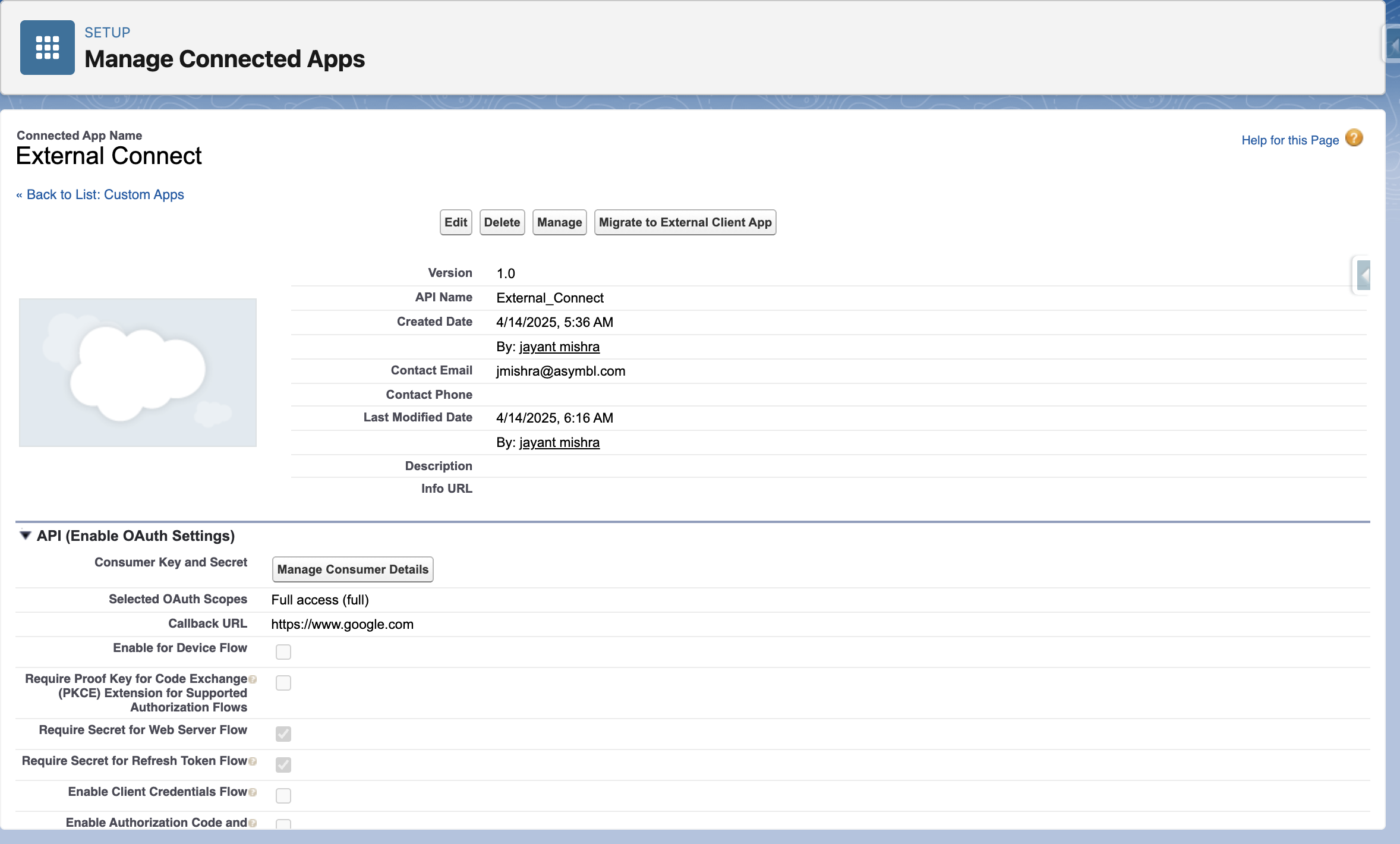
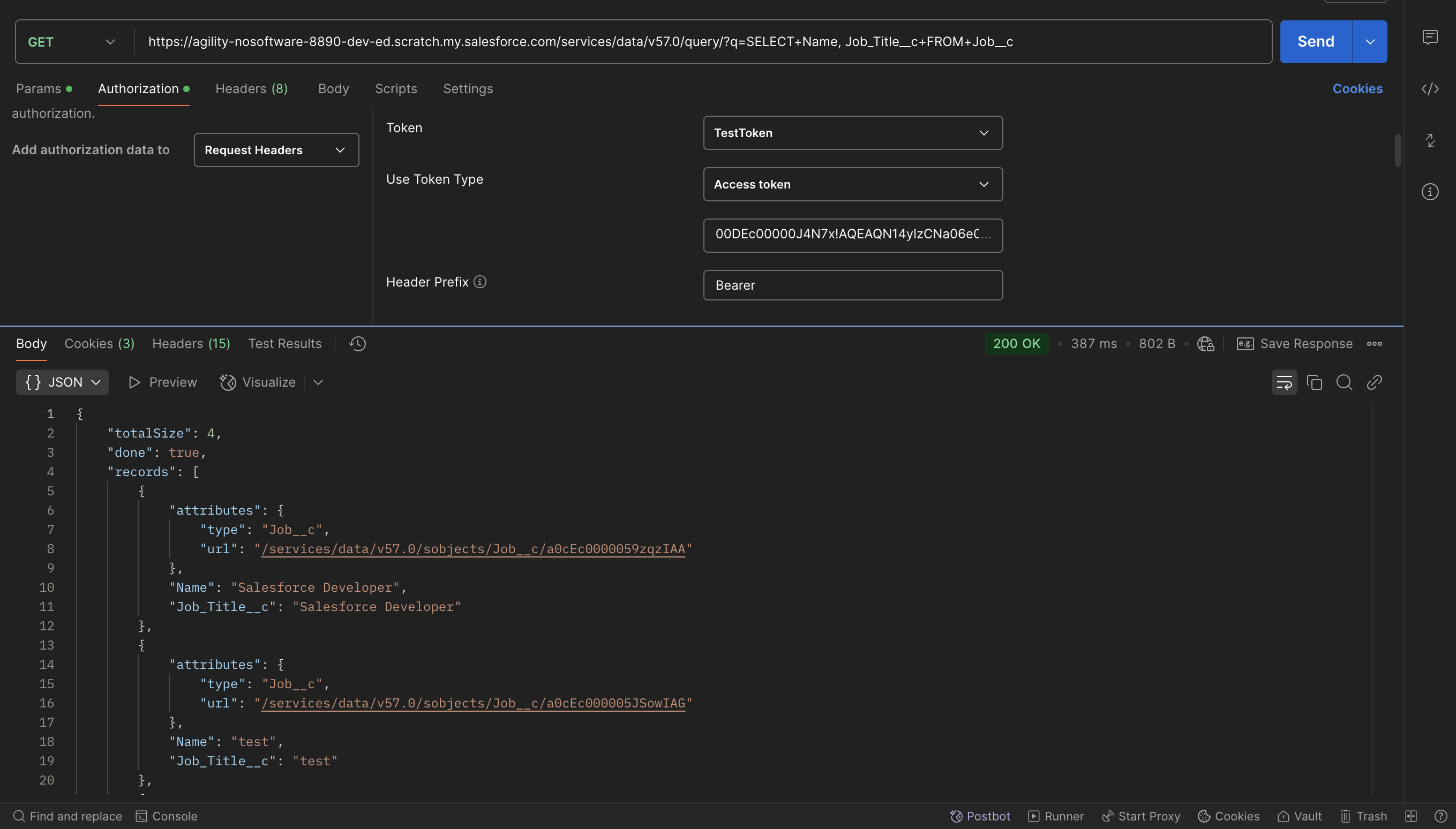
https://<your-instance>.salesforce.com/services/data/vXX.0/query/?q=SELECT+<field-api-name>,+<field-api-name>+FROM+<Object_API_Name>
https://<your-instance>.salesforce.com/services/data/vXX.0/sobjects/<Object_API_Name>
{
  "Contact__c" : "003Ec00000jUEMbIAK",
  "Email__c" : "test@test.com",
  "First_Name__c" : "candidate",
  "Last_Name__c" : "new",
  "Job__c" : "a0cEc000005XLv1TAG"
}
{
  "id": "aObEc000006Chx2IAC"
  "success": true,
  "errors"
}
https://<your-instance>.salesforce.com/services/data/vXX.0/composite/tree/<Object_API_Name>
{
  "records": [
    {
      "attributes" : {"type" : "bpats__Job_Board_Application__c", "referenceId" : "ref1"},
      "bpats__Contact__c": "003Em00000cqRQ3IAM",
      "bpats__Email__c": "test2@test.com",
      "bpats__First_Name__c": "candidate",
      "bpats__Last_Name__c": "new 2",
      "bpats__Job__c": "a0MEm000004fFnBMAU"
    },
    {
      "attributes" : {"type" : "bpats__Job_Board_Application__c", "referenceId" : "ref2"},
      "bpats__Contact__c": "003Em00000cqAXLIA2",
      "bpats__Email__c": "test3@test.com",
      "bpats__First_Name__c": "candidate",
      "bpats__Last_Name__c": "new 3",
      "bpats__Job__c": "a0MEm000004fFnBMAU"
    }
  ]
}
{
  "hasErrors": false,
  "results": [
    {
      "referenceld": "ref1",
      "id": "a0bEc000006CfK6IAK"
    },
    {
      "referenceld": "ref2",
      "id": "a0bEc000006CfK7IAK"
    }
 ]
}
https://<your-instance>.salesforce.com/services/data/vXX.0/sobjects/<Object_API_Name>/{recordId}{
"Name" : "Salesforce Developer Test"
"bpats_Job_Title__c" : "Salesforce Developer Test"
}
https://<your-instance>.salesforce.com/services/data/vXX.0/composite/sobjects
{
  "allOrNone" : false,
  "records" : [{
    "attributes" : {"type" : "bpats__Job__c"},
    "id" : "aOMEm000004fFnBMAU" ,
    "Name" : "Salesforce Developer Test",
    "bpats__Job_Title__c" : "Salesforce Developer Test"
  },{
    "attributes" : {"type" : "bpats__Job__c"},
    "id" : "aOMEm000004{HCHMA2" ,
    "Name" : "Senior Salesforce Developer Test"
    "bpats__Job_Title__c" : "Senior Salesforce Developer Test"
  }]
}
[
  {
    "id": "a0MEm000004fFnBMAU",
    "success": true,
    "errors": []
  },
  {
    "id": "aOMEm000004fHCHMA2" ,
    "success": true,
    "errors": []
  }
]
https://<your-instance>.salesforce.com/services/data/vXX.0/sobjects/<Object_API_Name>/{recordId}https://<your-instance>.salesforce.com/services/data/v63.0/sobjects/bpats__Job__c/a0LEm000007SHNYMA4
https://<your-instance>.salesforce.com/services/data/vXX.0/composite/sobjects?ids=<comma-separated-record-ids>&allOrNone=false
https://<your-instance>.salesforce.com/services/data/v63.0/composite/sobjects?ids=a0LEm000007SHNYMA4,a0LEm000007SDD3MAO&allOrNone=false
[
  {
    "id": "a0MEm000004fFnBMAU",
    "success": true,
    "errors": []
  },
  {
    "id": "aOMEm000004fHCHMA2" ,
    "success": true,
    "errors": []
  }
]